

Your Library is your personal collection of sources. Everything you add becomes available to DeepContext to chat with. veridive's Library accepts far more than YouTube links — and you can even search and add content without leaving veridive.
Five ways to add a source
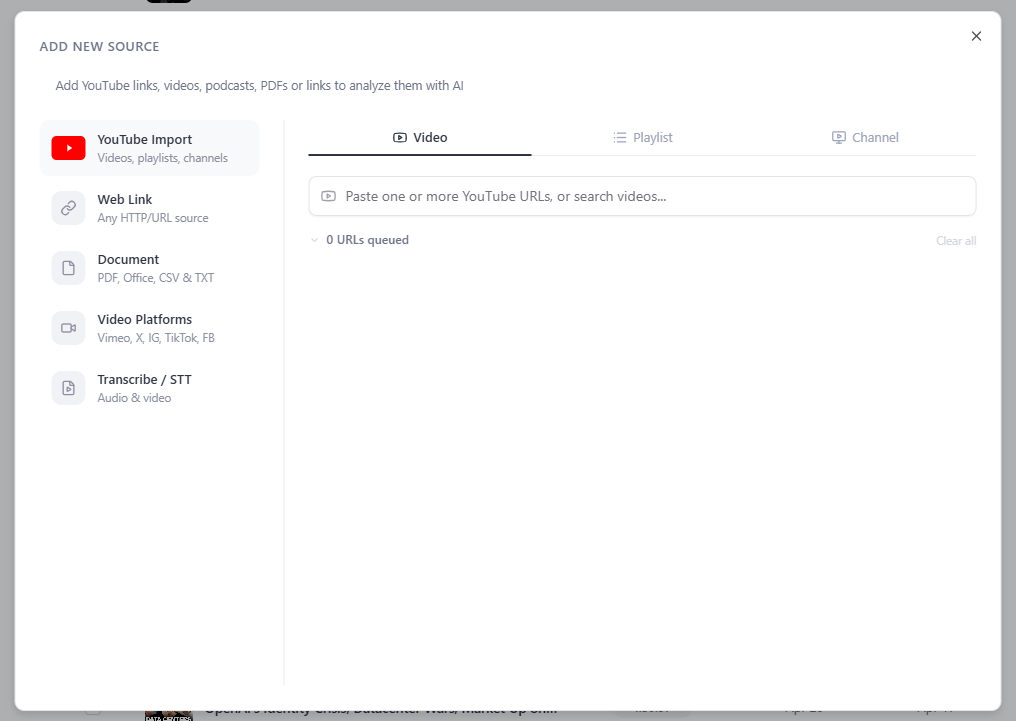
From Add new source, choose the type that fits what you have:
| Source type | What you can add |
|---|---|
| YouTube Import | Videos, playlists and whole channels — paste URLs or search YouTube right inside the window. |
| Web Link | Any article, blog post or documentation URL (several at once, one per line) — we extract the content. |
| Document | PDF, Word, PowerPoint, Excel, CSV & TXT files (up to 100 MB). |
| Video Platforms | Vimeo, X / Twitter, Instagram, TikTok & Facebook video URLs. |
| Transcribe / STT | Your own audio or video files — veridive transcribes them and adds them in. |
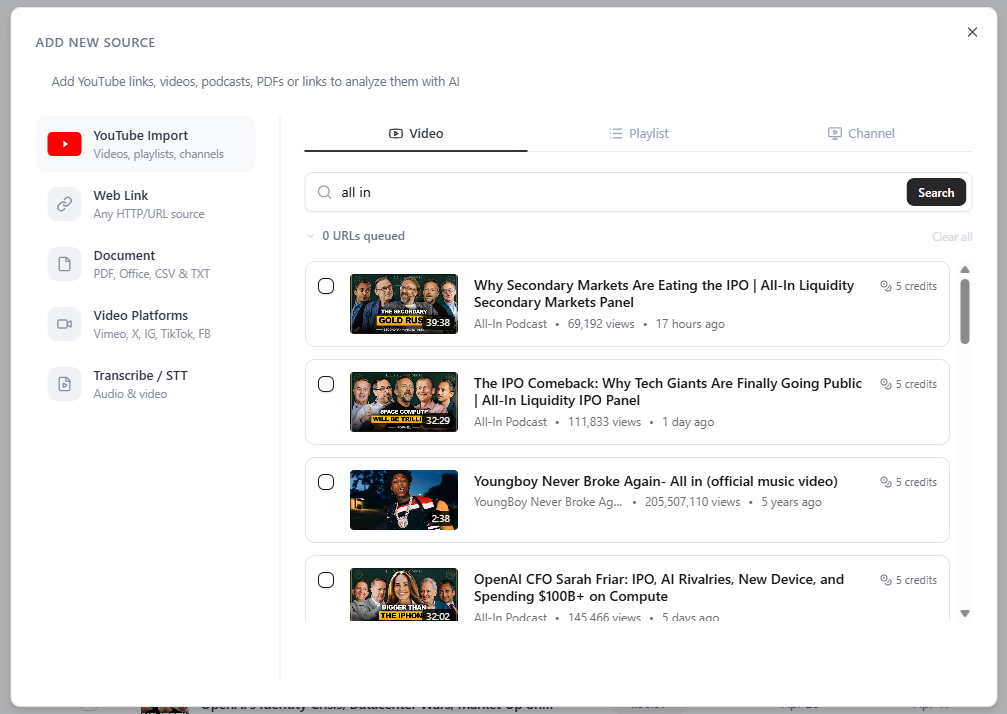
Search YouTube without leaving veridive
In YouTube Import, just type what you're looking for and veridive shows matching videos — title, channel, views and age — each ready to add with one click. No more hopping to youtube.com, copying links, and coming back.
Then chat with it
Once items finish processing, open a DeepContext chat and ask questions across everything you added. To add a lot at once, see Bulk Import; for every supported format and limit, see Supported sources.