

Channel search lets you point a DeepQuery question at one specific creator. Type @ in the chat box, pick a channel, and veridive searches only that channel's videos — perfect when you trust a particular source and want their take, in their words.
veridive has over 1,000,000 YouTube channels mapped, so the creators you care about are almost certainly searchable — and this works on every plan, including Free. No other tool offers it.
How to use it
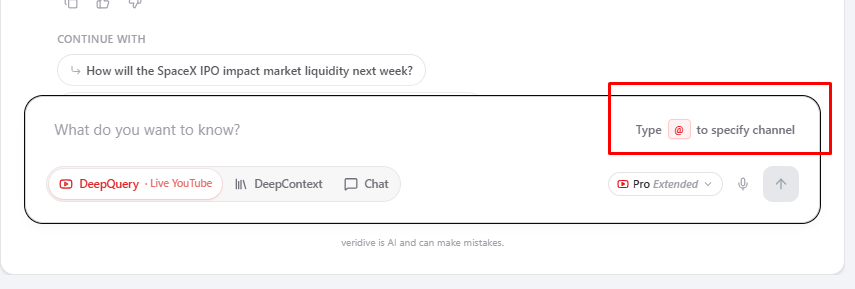
- Type
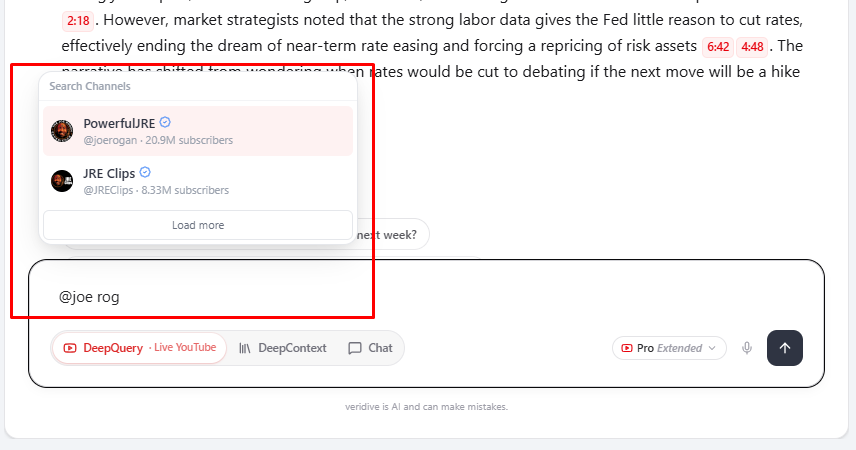
@in the chat box A hint appears in the input: "Type @ to specify channel." - Start typing the channel name A live "Search Channels" list appears with matching creators — name, handle and subscriber count — so you pick the right one. Use "Load more" to see further matches.
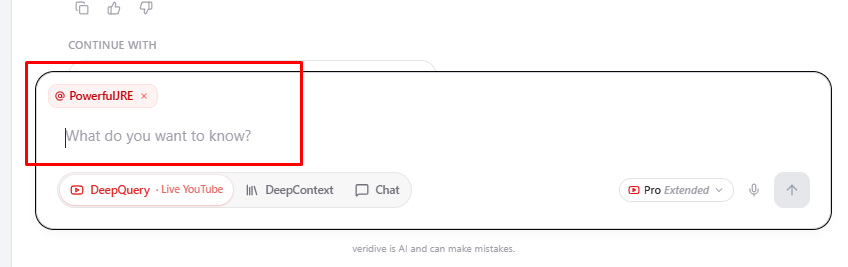
- Select the channel It's added as an
@channelchip in your input, scoping the question to that creator. - Ask your question veridive searches inside that channel's videos and answers with the usual exact-second citations.
Great for
- "According to @thischannel, what's the argument for…?"
- Following one expert's evolving view across many videos.
- Cutting out noise when you already trust a specific source.
Tip: Channel search runs in DeepQuery (live YouTube). To analyze a creator's whole catalogue offline, bulk-import their channel into a Library and use DeepContext.