

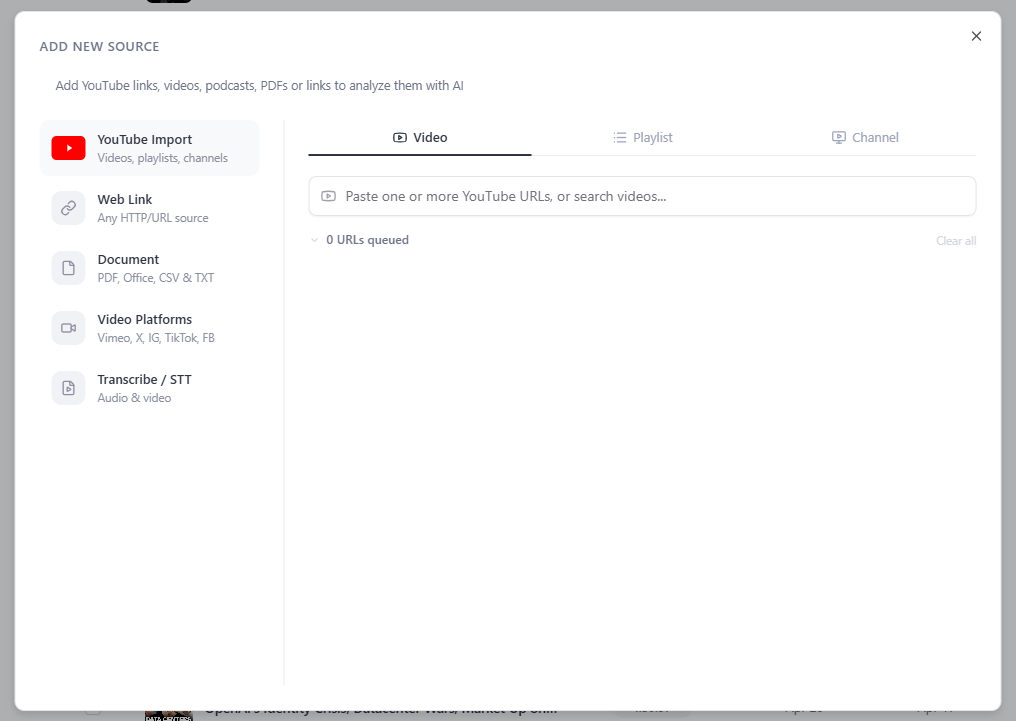
Bulk Import builds a deep Library fast: add up to ~1,000 videos in about a minute, then chat with all of them in DeepContext. And the part nothing else does — you can pull in a whole playlist or channel, or search YouTube and add results, without ever leaving veridive.
Ways to bulk-import
- A whole channel — fetch a creator's catalogue in seconds and ask questions across everything they've published.
- A playlist — import a curated list in one step.
- Search & add — type a topic, then add the results that fit.
- A list of links — paste many URLs at once.
Why this is a big deal
Most "chat with your sources" tools cap you at a handful of uploads and have no built-in search or channel import — you do all the gathering by hand. veridive lets you assemble a 1,000-video Library in the time it takes to read this paragraph, then analyze it with DeepContext.
Heads up: large imports use credits and scale with how much you add. Bulk Import is a Premium feature; everyone can still add sources individually and search inside the window. Premium & Max
Try, once imported: "Across all these talks, what are the recurring themes?" or "Where does anyone disagree with the main argument?"